

Prerequisites
- A connected Hedera wallet with the token you want to spend
- Enough HBAR for network fees when associating tokens or granting permissions
- An understanding of the V3 order book risks
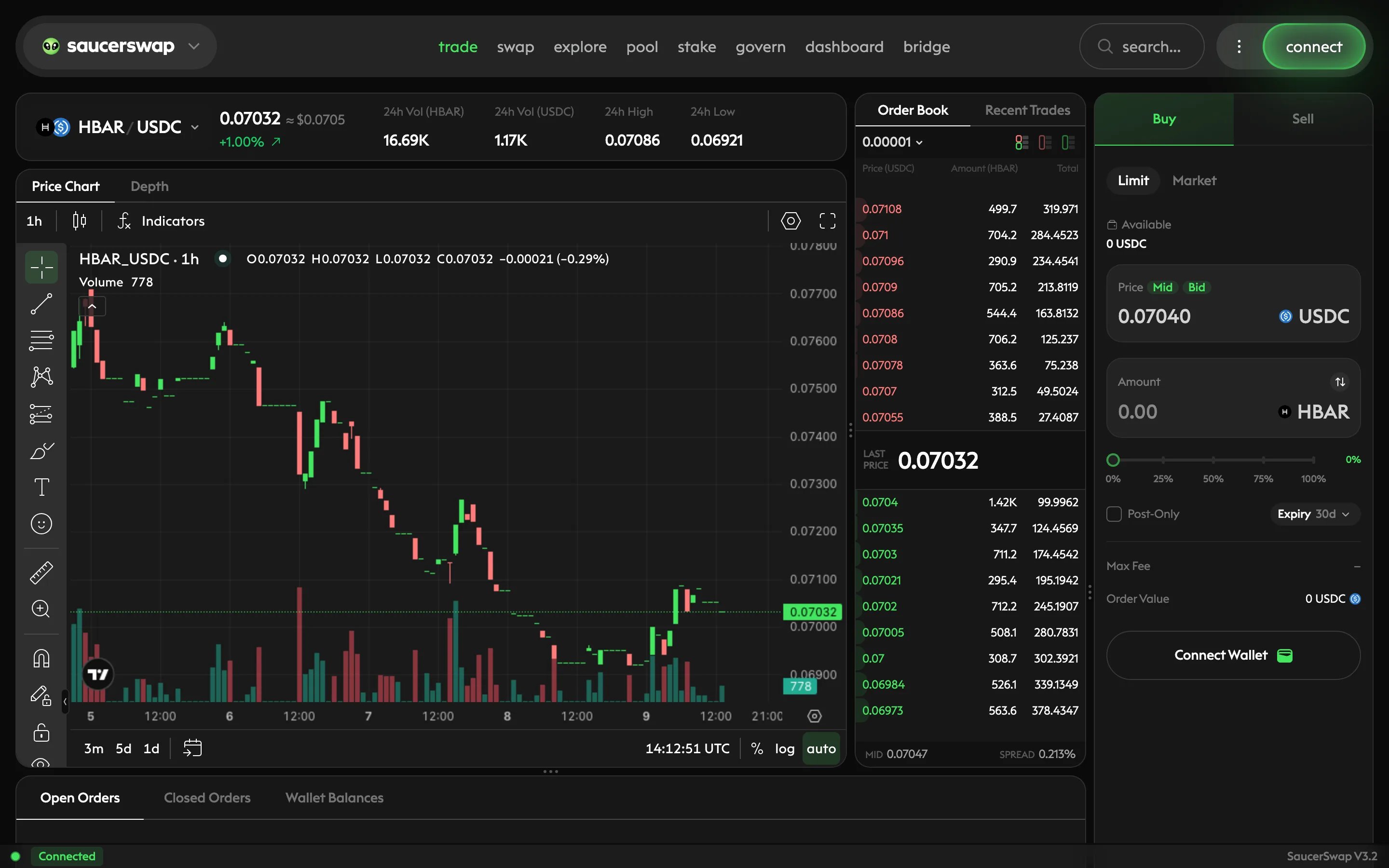
The trade page, with market information, an order book, and the order entry panel.
Read the market
The first token in a pair is the base token; the second is the quote token. In HBAR/USDC, Buy spends USDC to receive HBAR, and Sell spends HBAR to receive USDC. A price of 0.08 means 0.08 USDC per HBAR, not the reverse.
Larger orders may reach several price levels. Check the market’s trading increments and minimum order size, and use the settings currently shown in the app.
Set up trading permissions
1
Open trade and choose your market
Open the trade page, select a pair, and connect your wallet. Review and accept the V3 terms when prompted.
2
Sign in to the order book
Follow the wallet sign-in prompt to authenticate your account. This off-chain signature does not move tokens and is separate from placing an order.
3
Review any first-time setup prompts
The app guides you through token association and any missing token and reactor permissions when you place your first order for a token. The reactor is the contract that settles signed orders. Read the spender and allowance in each wallet prompt; setup transactions can cost HBAR.
Place a limit order
A buy limit sets the highest price you accept; a sell limit sets the lowest. A limit order can fill immediately if it crosses an available price, or rest until a matching order arrives. Choosing Limit does not automatically make every fill a maker fill.1
Choose the side and limit price
Select Buy or Sell, then Limit. Enter Price in quote tokens per base token. The Mid, Bid, or Ask shortcuts populate a reference price; review it before continuing.
2
Enter the size and expiry
Enter Amount and check the token shown beside the field. Choose an Expiry appropriate for how long you want the order to remain valid. An unfilled limit order does not stay open indefinitely.
3
Choose whether to rest only
Enable Post-Only if you want to add liquidity without immediately taking an existing order. An order that would cross the book is rejected rather than filled as a taker. Leave it off if you are willing to trade immediately at your limit or better.
4
Review and sign
Check the pair, side, price, amount, expiry, Order Value, and displayed fee or rebate. Complete any setup prompts, then sign the order in your wallet. A signature submits your instructions; it does not guarantee a fill.
5
Check the result
Review Open Orders and Closed Orders below the chart. An order may fill in parts, with the remainder staying open until filled, canceled, or expired. See how to track and cancel orders.
Place a market order
A market order seeks available liquidity now. Its estimated average price may differ from the last trade, particularly in a thin book. It can fill partially or fail; it does not guarantee a complete trade.1
Choose the side and amount
Select Buy or Sell, then Market. Enter Amount, checking the input token and available balance.
2
Check the current quote
Review the estimated result, displayed fee, and available depth. If the app reports insufficient liquidity or an order below the minimum, adjust the size or consider a limit order. For the difference between a quote and execution, see slippage.
3
Sign and verify the fill
Complete any required setup and sign the order. Check Open Orders and Closed Orders for the final status and actual fills before placing another order. Unspent tokens remain in your wallet, but an order can remain active briefly while matching and settlement complete.
Next steps
Manage V3 orders
Track partial fills, cancel orders, and review standing permissions.
V3 concepts
Understand matching, settlement, and liquidity on an order book.
Markets and minimums
Read market settings and minimum order requirements.
Swap tokens
Use a quoted swap without managing a resting order.