

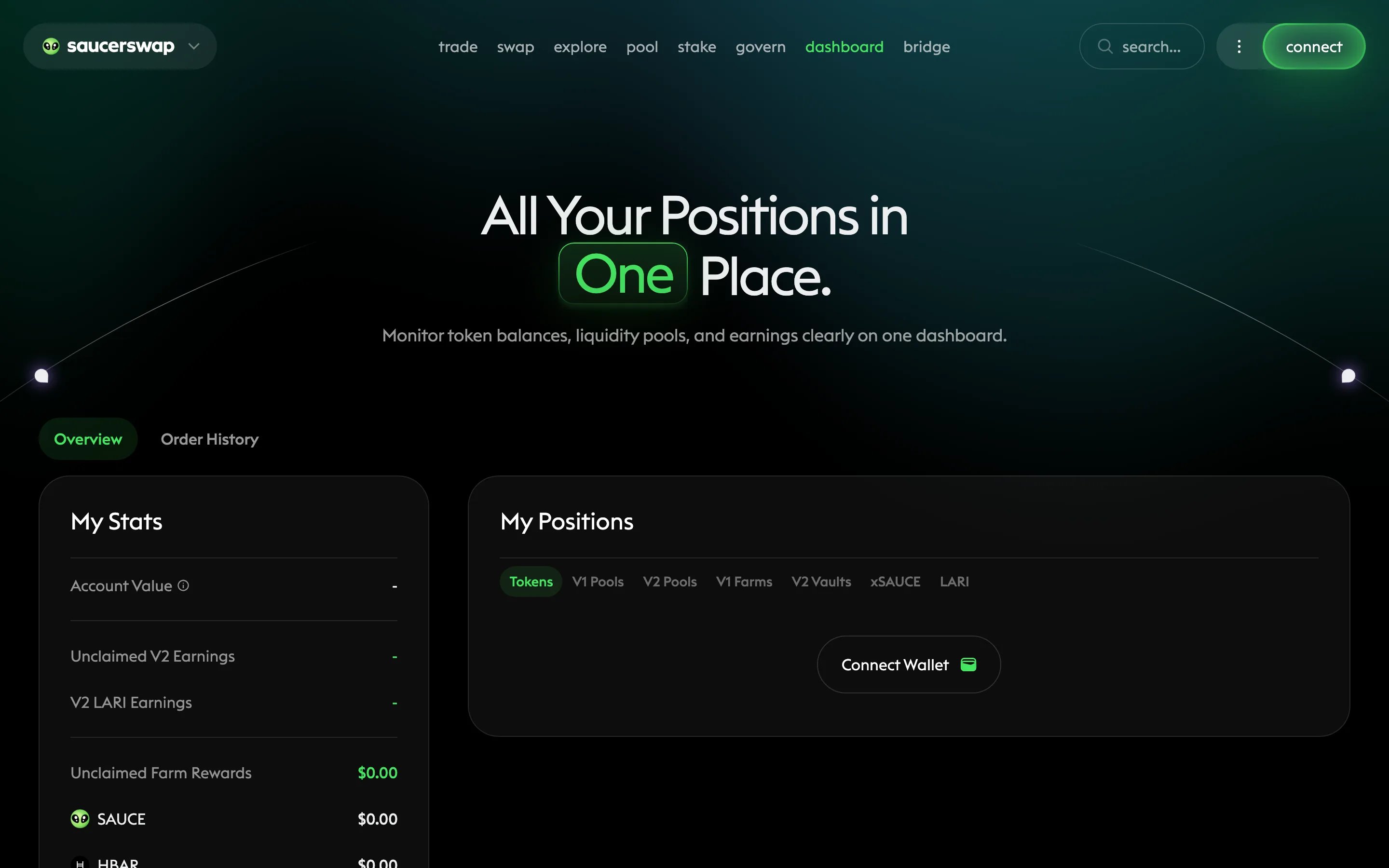
The dashboard page of the SaucerSwap web app.
Prerequisites
- A Hedera wallet to connect — or just an account ID you want to look at, since portfolio data is public on Hedera
The Overview tab
The Overview tab has two sections. My Stats summarizes value and pending rewards:
My Positions groups your holdings by product: Tokens, V1 Pools, V2 Pools, V1 Farms, V2 Vaults, xSAUCE, and LARI. Each group links through to the page where you manage that position — claim V2 fees, harvest farm rewards, or unstake.
Review V3 orders
Open on-chain order history to review your V3 orders and settlements. The trade page also has Open Orders and Closed Orders for account activity. See Manage V3 orders to reconcile partial fills, cancellations, and standing permissions.Watch any address
You do not need to connect a wallet to inspect a portfolio. Enter any Hedera account ID to view its holdings and positions read-only — useful for monitoring a cold wallet, a treasury, or a trader you follow. All of this data is public on Hedera; the dashboard just assembles it.Next steps
Claim V2 fees
Collect accrued fees and manage your concentrated liquidity positions.
Review your orders
Understand order statuses and cancellation finality on the order book.
Stake idle SAUCE
Put unstaked SAUCE to work in the Infinity Pool.