> ## Documentation Index
> Fetch the complete documentation index at: https://docs.saucerswap.finance/llms.txt
> Use this file to discover all available pages before exploring further.
# SaucerSwap V1
## How to Create a Liquidity Pool: Written Guide
1\. **Prerequisites**
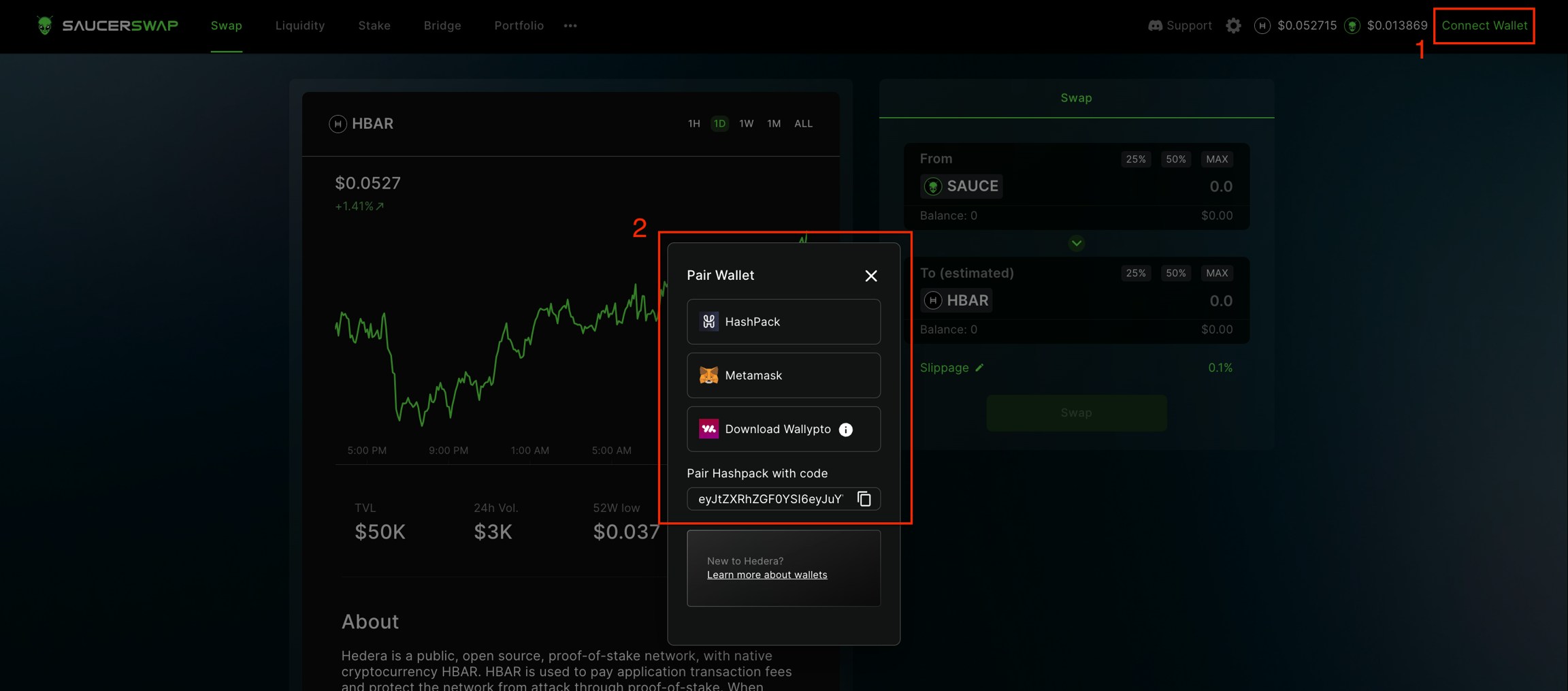
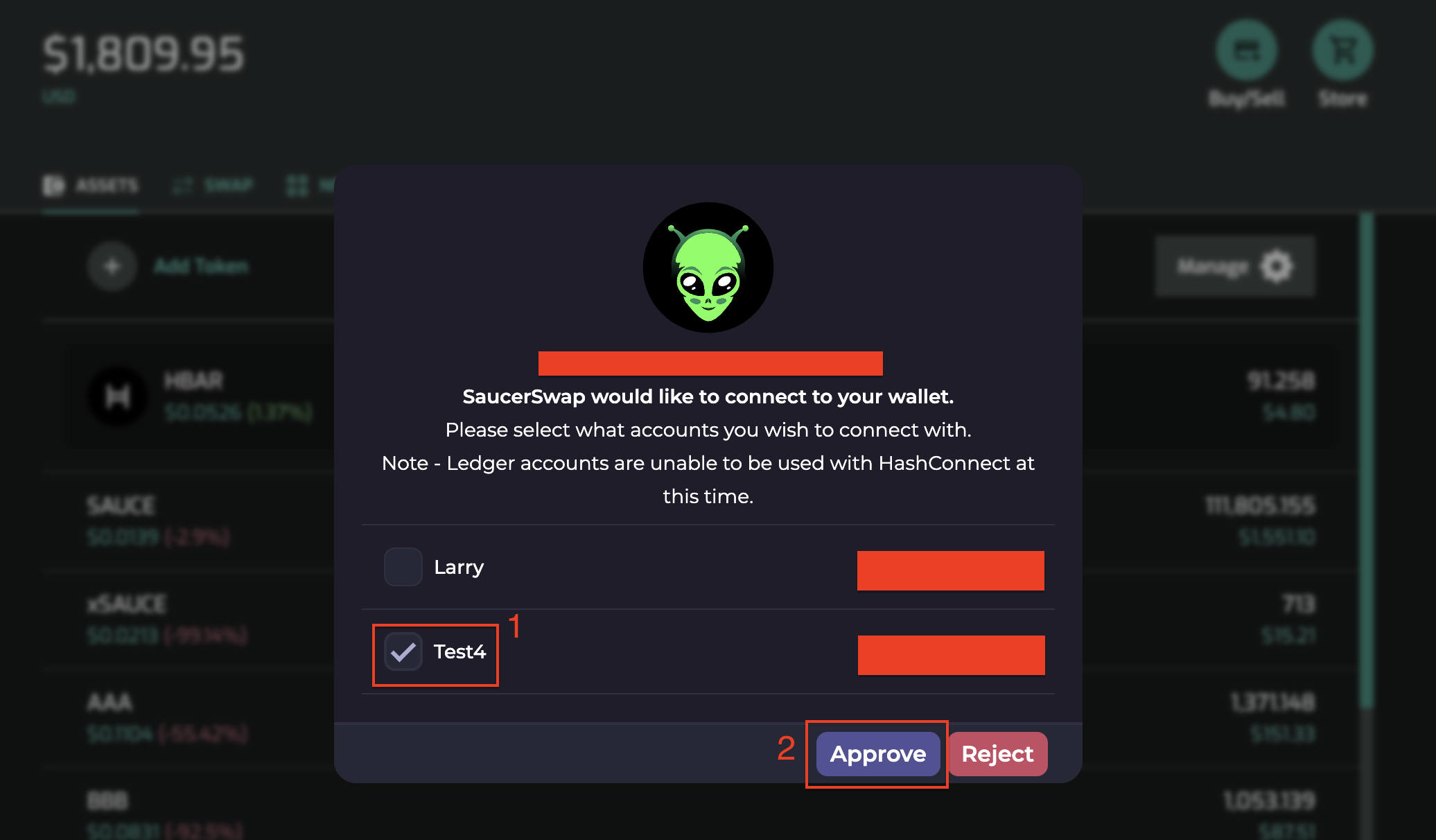
* Launch the web-app and connect your [wallet](/get-started/hedera-guide/create-hedera-wallet).
 * Ensure you have sufficient [HBAR](/get-started/hedera-guide/get-hbar) for network fees and tokens for liquidity provision.
 2\. **Navigate Interface**
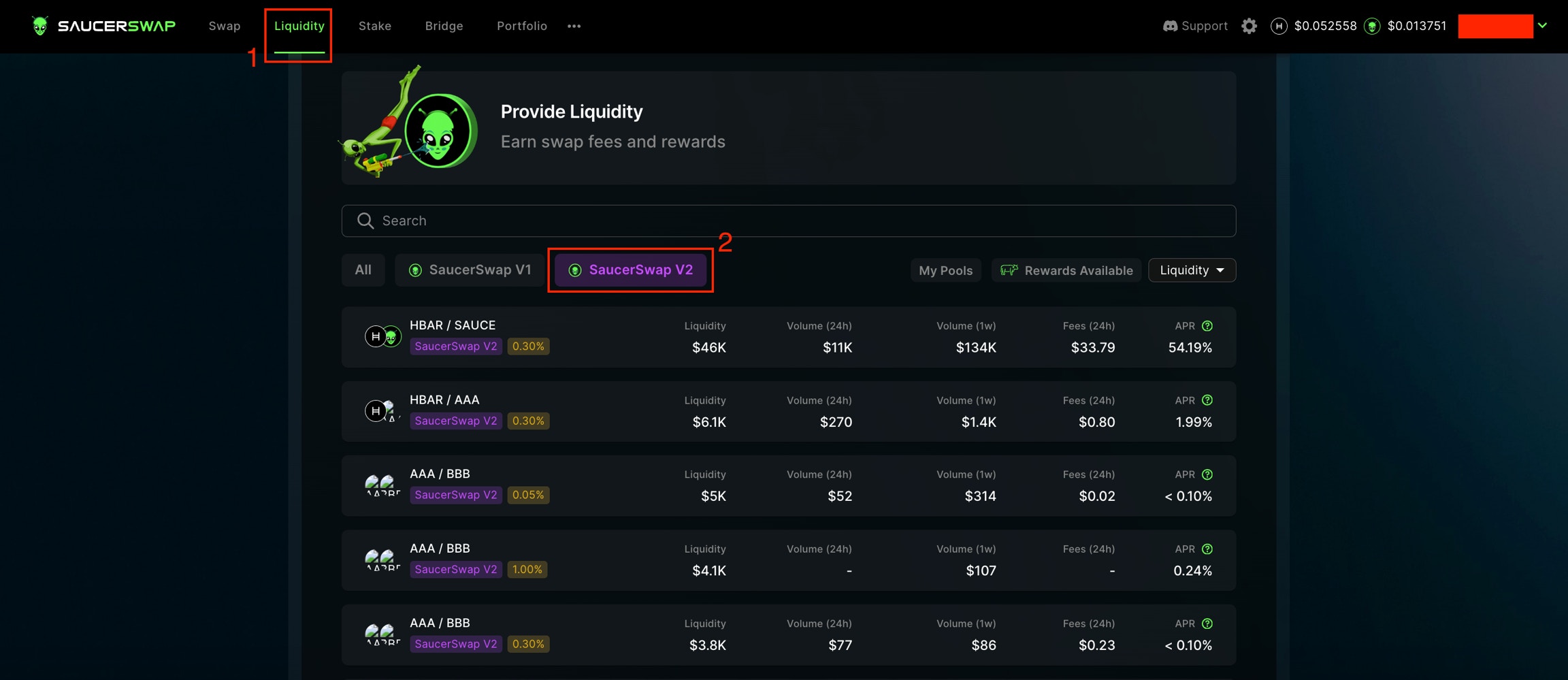
* Head over to the "Liquidity" page and click the the "Create Pool" button, then click "Create V1 Pool".
2\. **Navigate Interface**
* Head over to the "Liquidity" page and click the the "Create Pool" button, then click "Create V1 Pool".
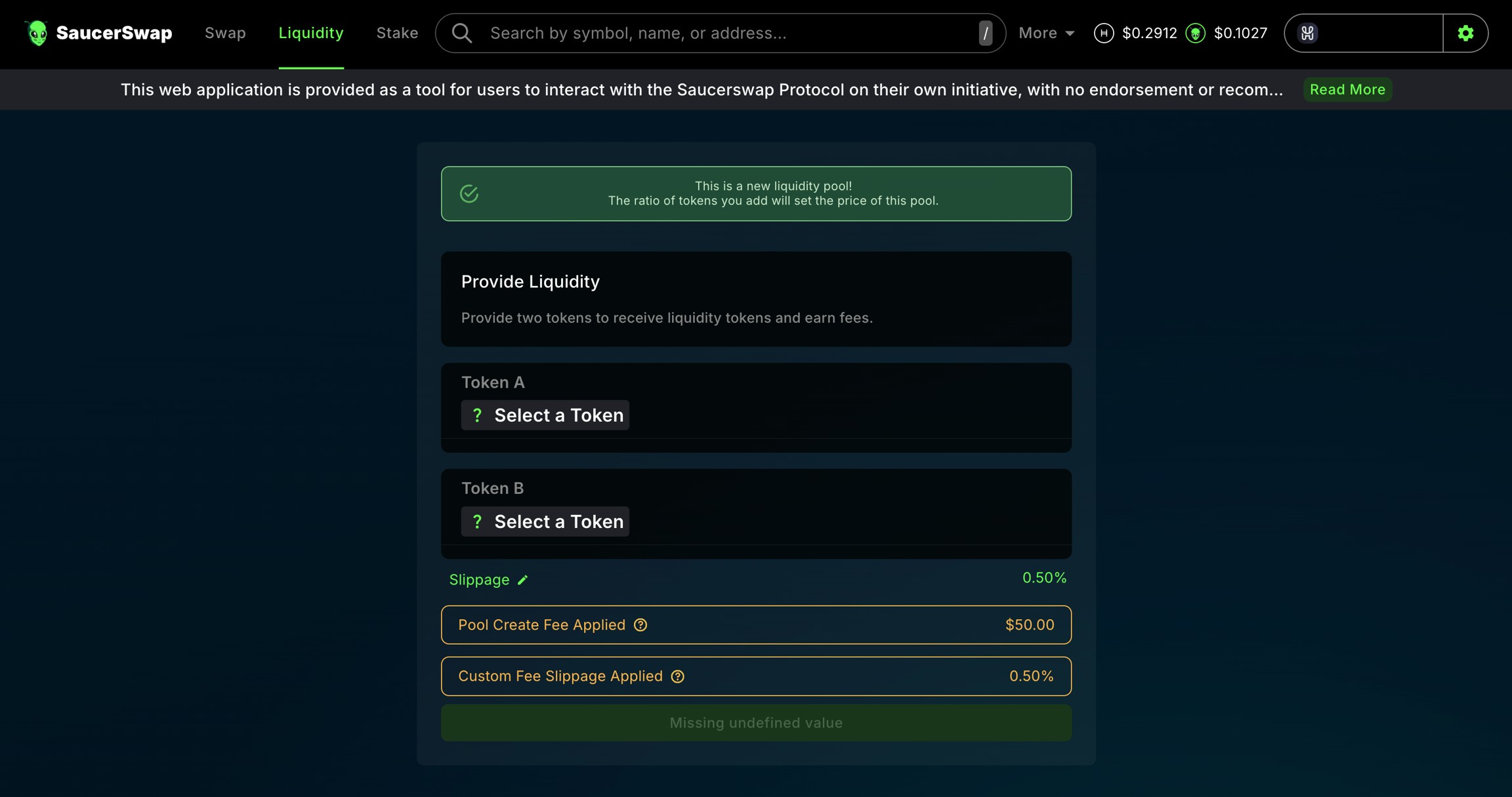
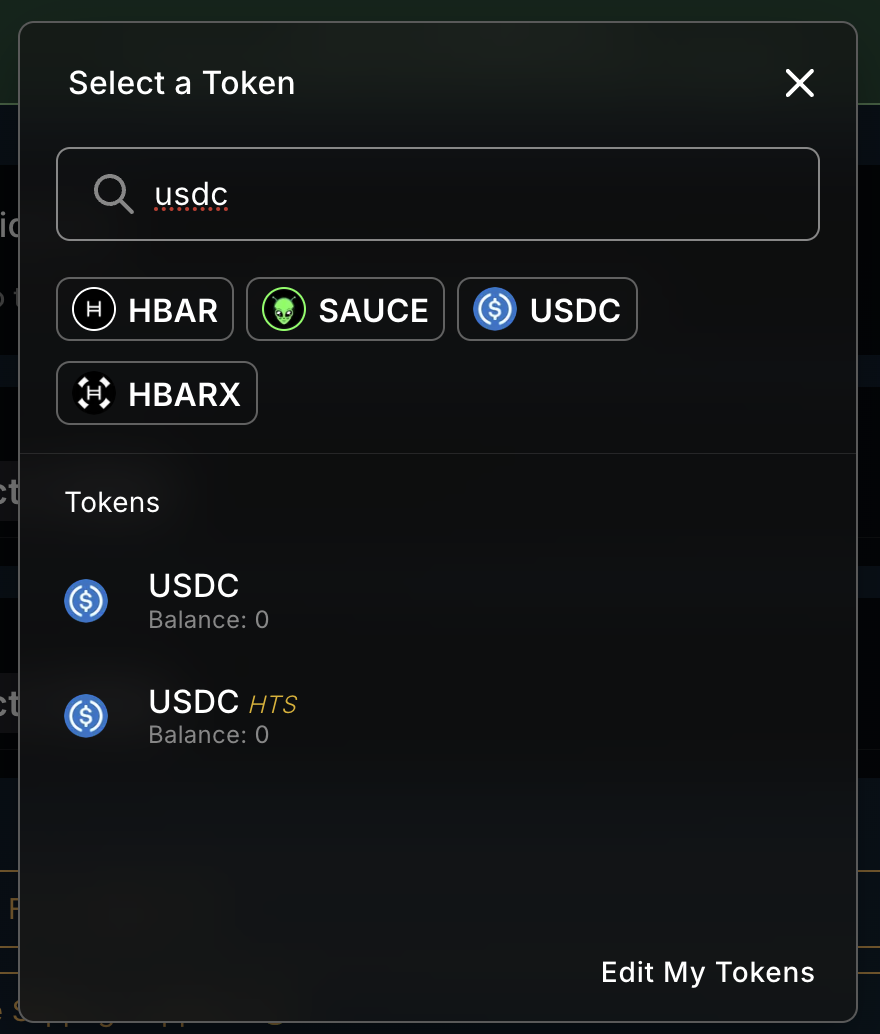
 * Choose the tokens you intend to pool by clicking on Token A "Select a Token", and Token B "Select a Token"; and selecting the tokens you wish to pool either by scrolling through the list, or entering the token ID or name in the search bar.
 SaucerSwap V1 supports tokens with fractional fees but not those with fixed fees. In fractional fee tokens, the fee is deducted from the transaction amount, such as during a swap. However, for fixed fee tokens, this fee is applied separately. A workaround for fixed fees in SaucerSwap V1 is to set a fractional fee at 0% and use a fallback. For detailed guidance on implementing custom fees in the Hedera Token Service (HTS), refer to the [Hedera Docs](https://docs.hedera.com/hedera/sdks-and-apis/hedera-api/token-service/customfees).
3\. **Setting Ratio**
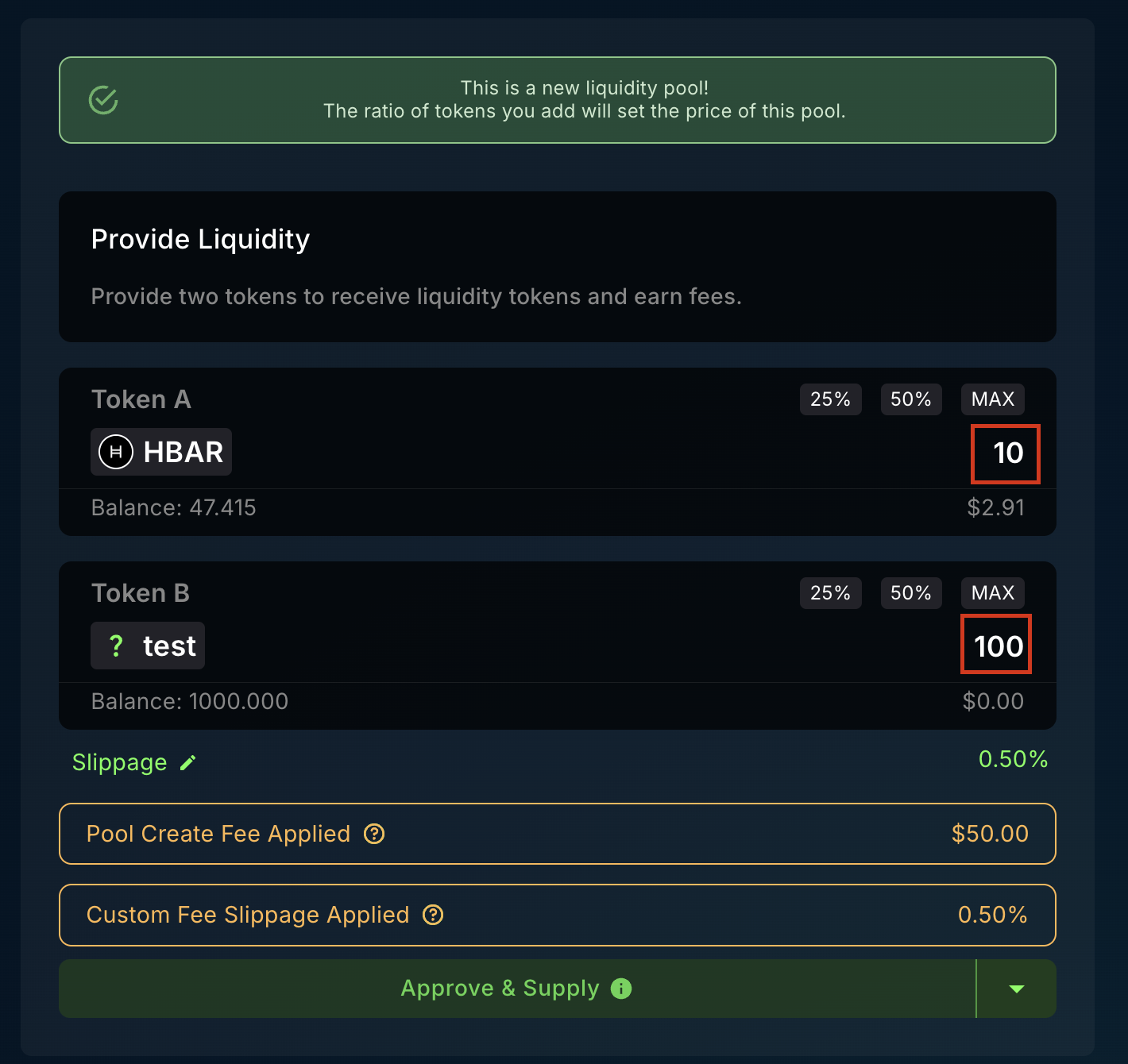
* Input the initial amounts of TokenA and TokenB. The ratio between these tokens sets the pool's initial price. Aim to approximate market prices to avoid immediate arbitrage.
SaucerSwap V1 supports tokens with fractional fees but not those with fixed fees. In fractional fee tokens, the fee is deducted from the transaction amount, such as during a swap. However, for fixed fee tokens, this fee is applied separately. A workaround for fixed fees in SaucerSwap V1 is to set a fractional fee at 0% and use a fallback. For detailed guidance on implementing custom fees in the Hedera Token Service (HTS), refer to the [Hedera Docs](https://docs.hedera.com/hedera/sdks-and-apis/hedera-api/token-service/customfees).
3\. **Setting Ratio**
* Input the initial amounts of TokenA and TokenB. The ratio between these tokens sets the pool's initial price. Aim to approximate market prices to avoid immediate arbitrage.
 4\. **Pool Fee**
* Be aware that creating a pool incurs a \$50 fee in HBAR as a security measure.
5\. **Final Step**
* Confirm all details and click the "Approve & Supply" button to create the pool. You can now view the pool's information on its new subpage.
4\. **Pool Fee**
* Be aware that creating a pool incurs a \$50 fee in HBAR as a security measure.
5\. **Final Step**
* Confirm all details and click the "Approve & Supply" button to create the pool. You can now view the pool's information on its new subpage.
 ## How to Manage a Position: Written Guide
*As a liquidity provider, I want to* [*supply liquidity*](/get-started/saucerswap-tutorials/liquidity/saucerswap-v1#supply-liquidity) *to a specific pool so that I can earn fees. Once my liquidity is supplied, I wish to*[*stake my LP tokens*](/get-started/saucerswap-tutorials/liquidity/saucerswap-v1#stake-liquidity) *to accrue additional farming rewards. After waiting for a suitable amount of time to maximize my yield, I want to*[*harvest my farm rewards*](/get-started/saucerswap-tutorials/liquidity/saucerswap-v1#harvest-rewards)*. Finally, after a second waiting period to accumulate more fees, I aim to* [*unstake my LP tokens*](/get-started/saucerswap-tutorials/liquidity/saucerswap-v1#unstake-liquidity) *and*[*withdraw my liquidity*](/get-started/saucerswap-tutorials/liquidity/saucerswap-v1#withdraw-liquidity) *from the pool.*
1\. **Prerequisites**
* Launch the web-app and connect your [wallet](/get-started/hedera-guide/create-hedera-wallet).
* Ensure you have sufficient [HBAR](/get-started/hedera-guide/get-hbar) for network fees and tokens for liquidity provision.
2\. **Navigate Interface**
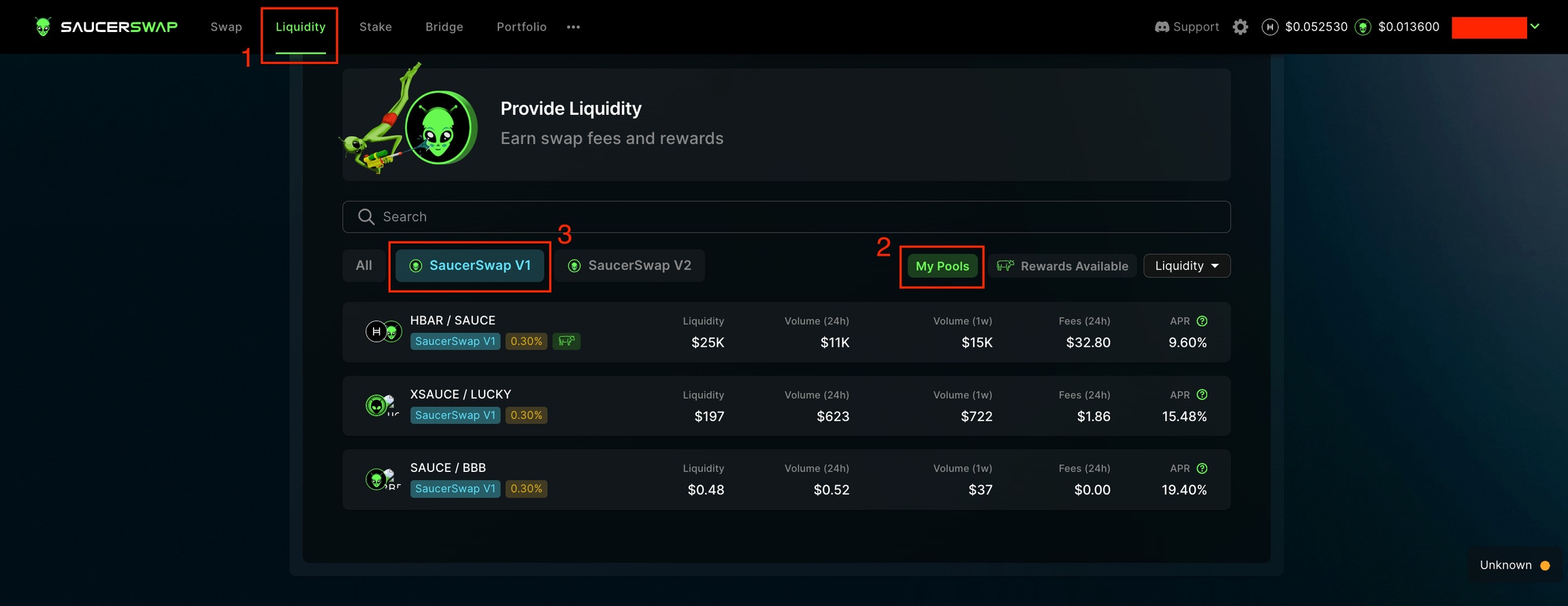
* Available pools are found on the "Liquidity" page
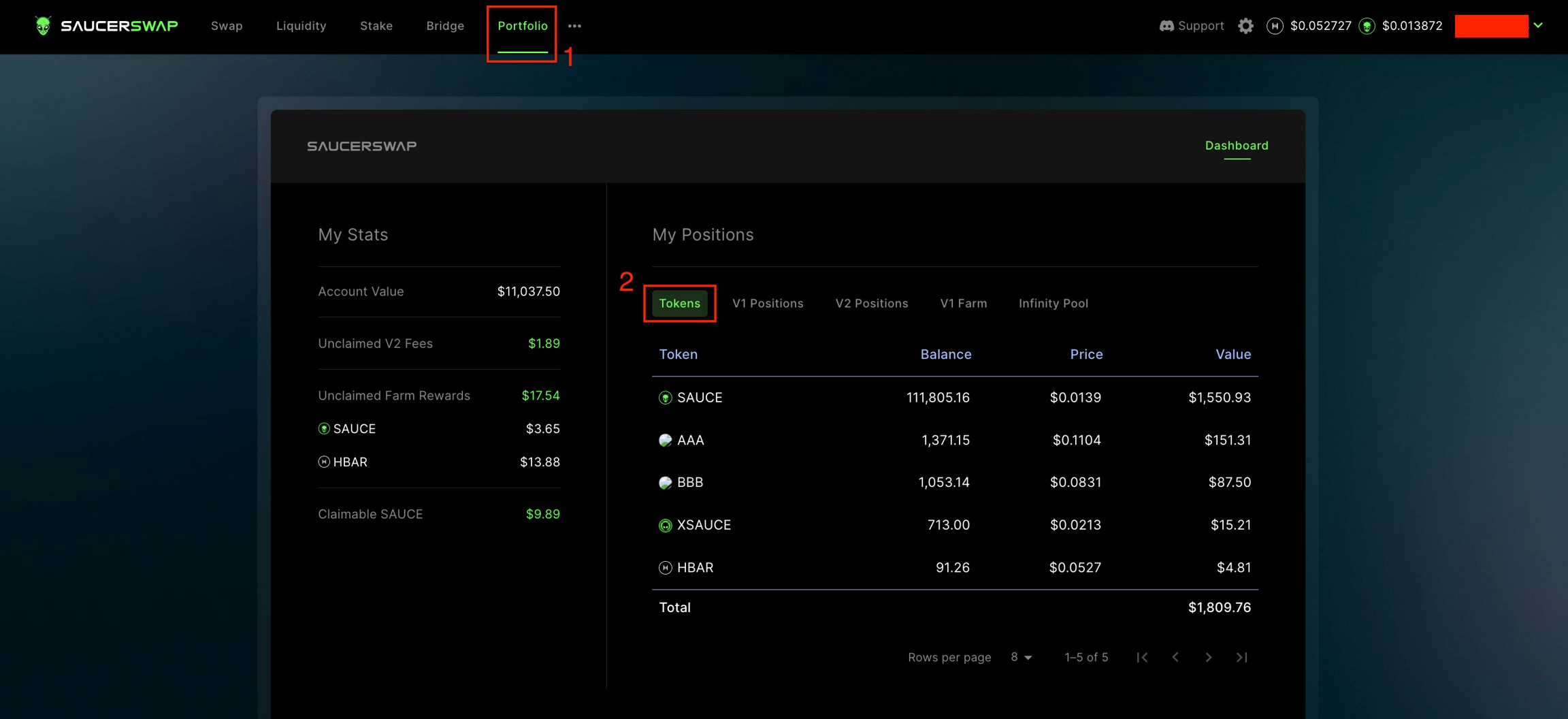
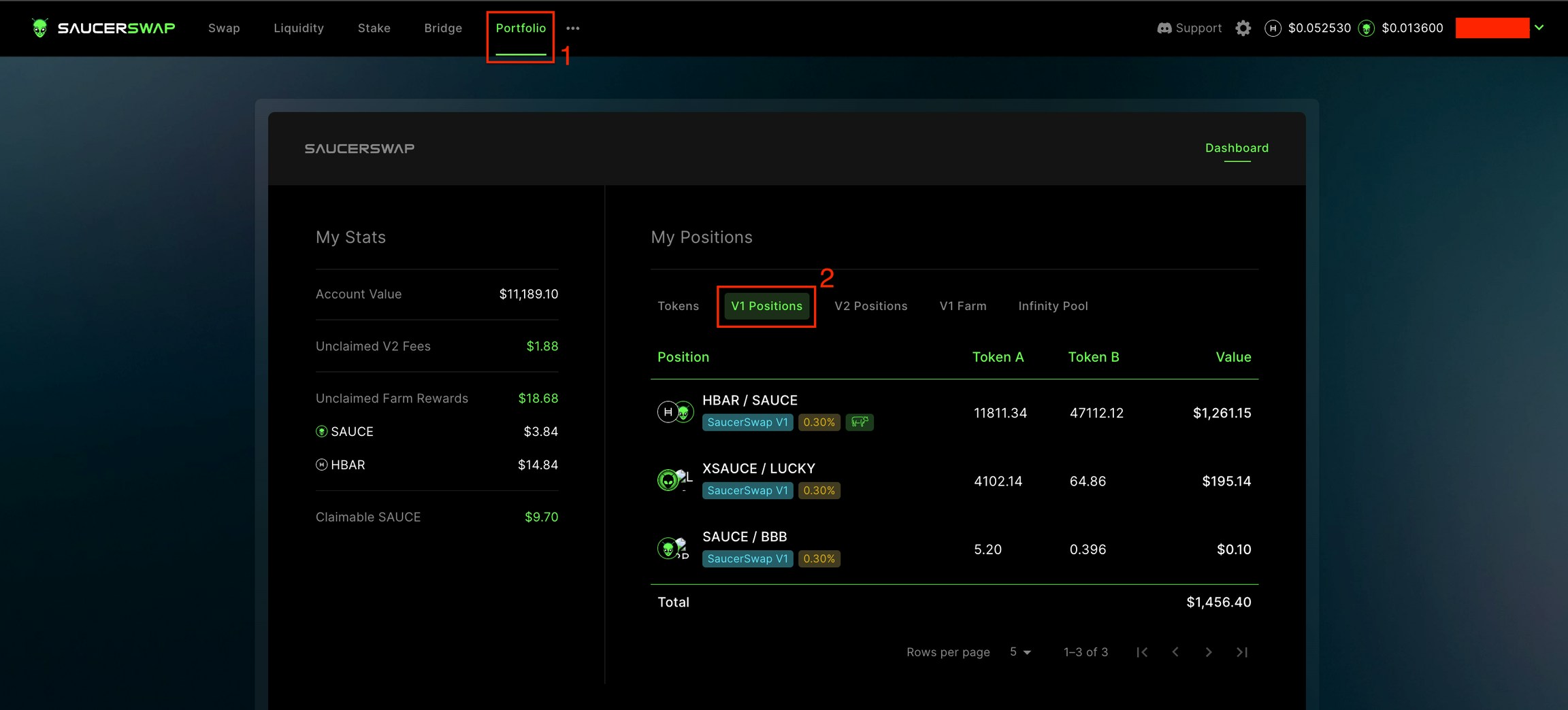
* Existing positions are accessible via either the "V1 Positions" tab of the "Portfolio" page or directly from the "Liquidity" page.
## How to Manage a Position: Written Guide
*As a liquidity provider, I want to* [*supply liquidity*](/get-started/saucerswap-tutorials/liquidity/saucerswap-v1#supply-liquidity) *to a specific pool so that I can earn fees. Once my liquidity is supplied, I wish to*[*stake my LP tokens*](/get-started/saucerswap-tutorials/liquidity/saucerswap-v1#stake-liquidity) *to accrue additional farming rewards. After waiting for a suitable amount of time to maximize my yield, I want to*[*harvest my farm rewards*](/get-started/saucerswap-tutorials/liquidity/saucerswap-v1#harvest-rewards)*. Finally, after a second waiting period to accumulate more fees, I aim to* [*unstake my LP tokens*](/get-started/saucerswap-tutorials/liquidity/saucerswap-v1#unstake-liquidity) *and*[*withdraw my liquidity*](/get-started/saucerswap-tutorials/liquidity/saucerswap-v1#withdraw-liquidity) *from the pool.*
1\. **Prerequisites**
* Launch the web-app and connect your [wallet](/get-started/hedera-guide/create-hedera-wallet).
* Ensure you have sufficient [HBAR](/get-started/hedera-guide/get-hbar) for network fees and tokens for liquidity provision.
2\. **Navigate Interface**
* Available pools are found on the "Liquidity" page
* Existing positions are accessible via either the "V1 Positions" tab of the "Portfolio" page or directly from the "Liquidity" page.
 ### Supply Liquidity
1\. **Navigate Interface**
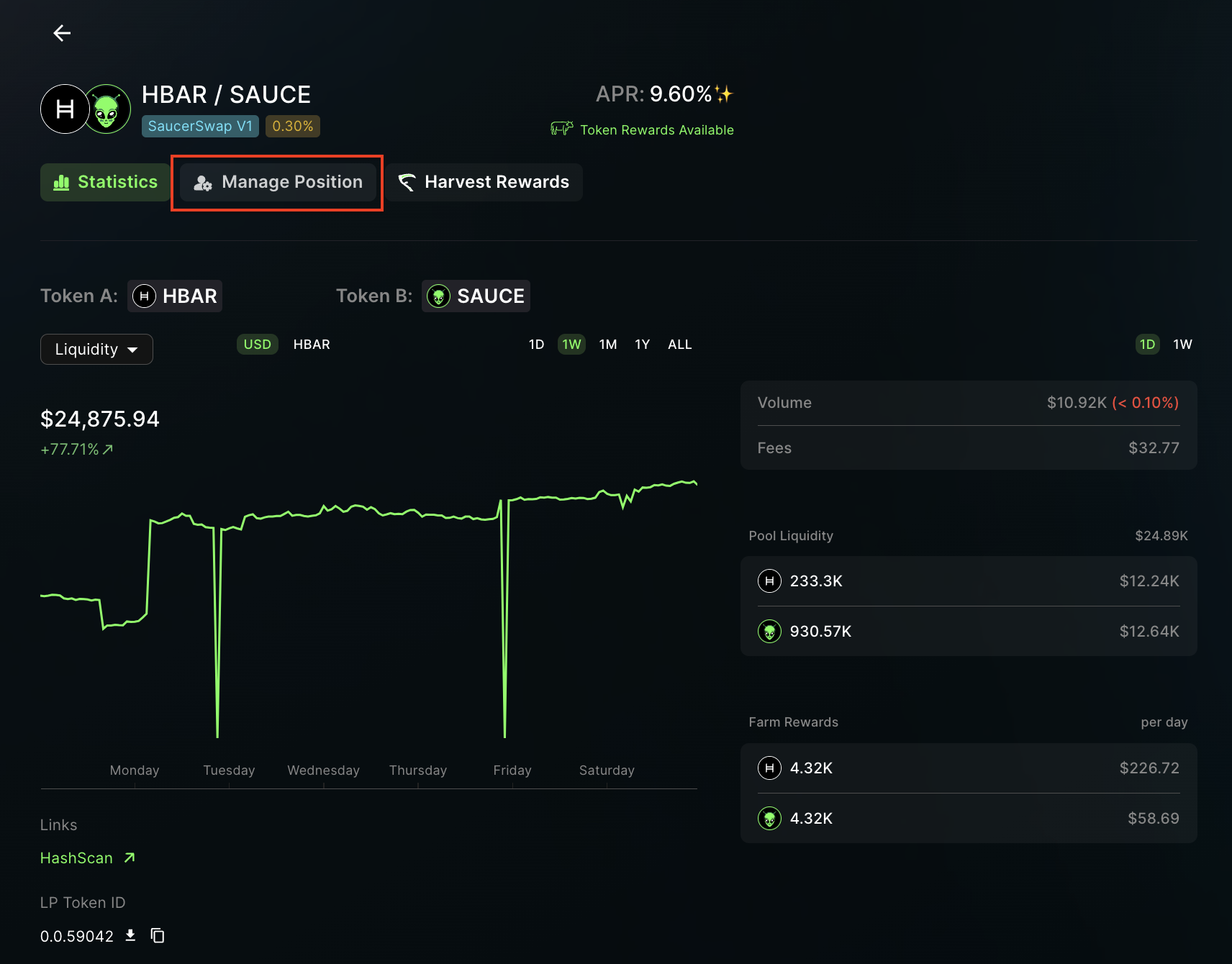
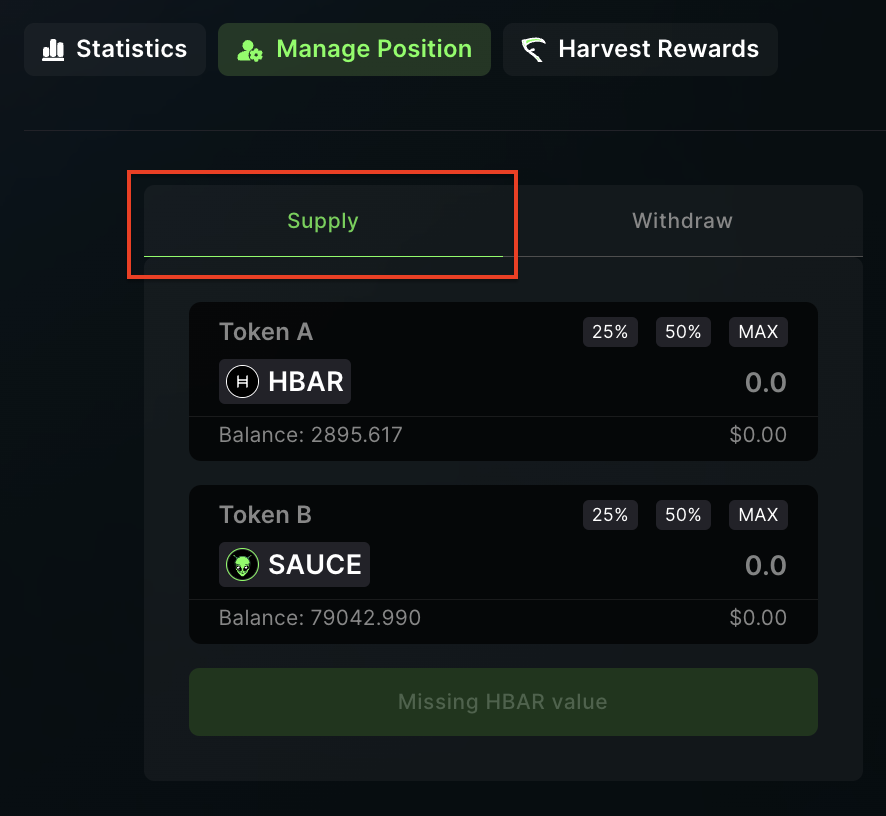
* Inside the "Manage Position" tab, select "Supply."
### Supply Liquidity
1\. **Navigate Interface**
* Inside the "Manage Position" tab, select "Supply."
 2\. **Add Liquidity**
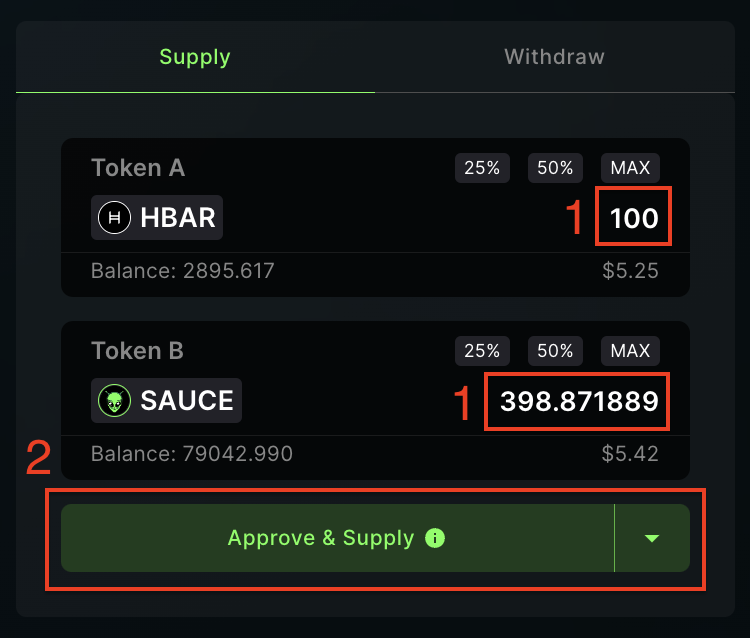
* Enter how much of TokenA or TokenB you want to add.
* Click "Approve & Supply" and complete the transaction in your wallet.
2\. **Add Liquidity**
* Enter how much of TokenA or TokenB you want to add.
* Click "Approve & Supply" and complete the transaction in your wallet.
 ### Withdraw Liquidity
1\. **Navigate Interface**
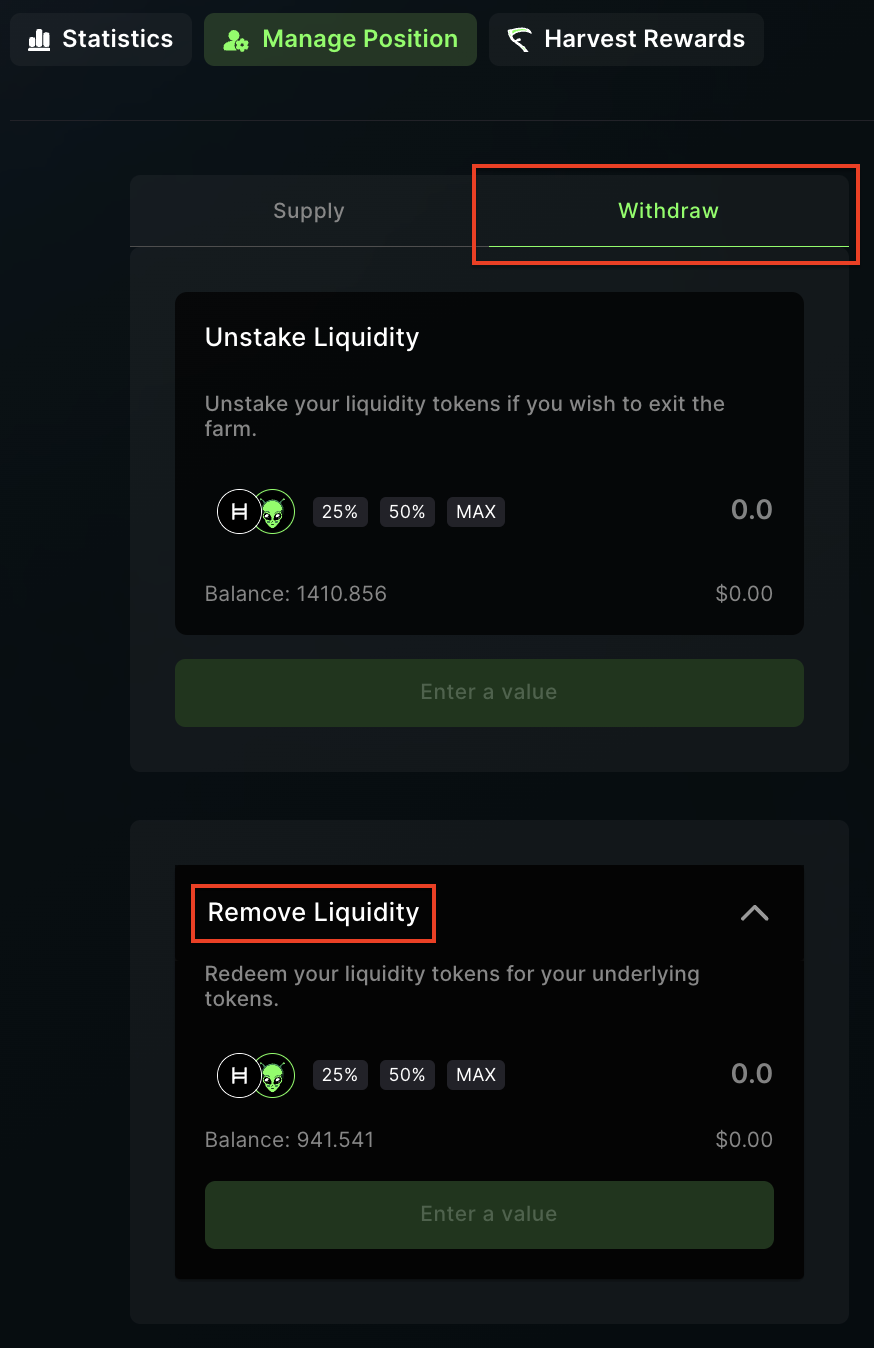
* Inside the "Manage Position" tab, select "Withdraw," and locate the "Remove Liquidity" section.
### Withdraw Liquidity
1\. **Navigate Interface**
* Inside the "Manage Position" tab, select "Withdraw," and locate the "Remove Liquidity" section.
 2\. **Remove Liquidity**
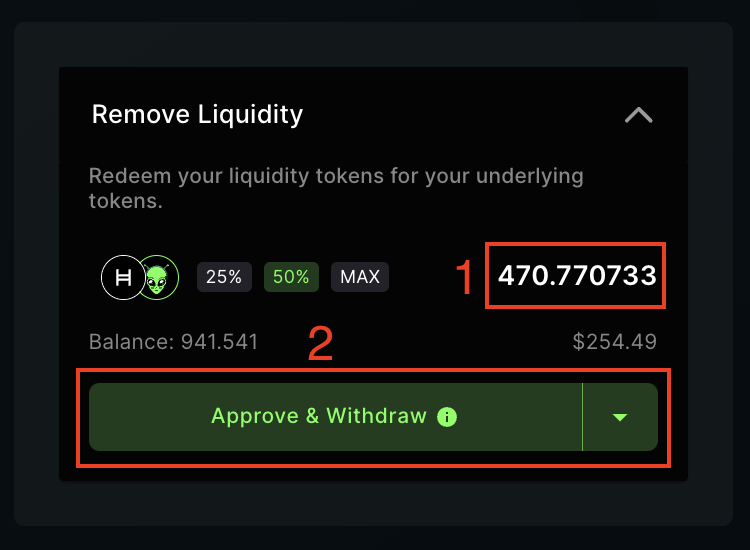
* Specify the number of LP tokens you wish to redeem.
* Click "Approve & Withdraw" and complete the transaction in your wallet.
2\. **Remove Liquidity**
* Specify the number of LP tokens you wish to redeem.
* Click "Approve & Withdraw" and complete the transaction in your wallet.
 **Note:** In contrast to V2, where fees are manually claimed, fees in V1 directly accumulate in the pool, increasing the value of each LP token. To claim your share of earned fees, simply withdraw liquidity.
### How to Manage a Farm: Written Guide
1\. **Prerequisites**
* Launch the web-app and connect your [wallet](/get-started/hedera-guide/create-hedera-wallet).
* Ensure you have sufficient [HBAR](/get-started/hedera-guide/get-hbar) for network fees and LP tokens to farm.
2\. **Navigate Interface**
* Pools with farm rewards are found on the "Liquidity" page.
**Note:** In contrast to V2, where fees are manually claimed, fees in V1 directly accumulate in the pool, increasing the value of each LP token. To claim your share of earned fees, simply withdraw liquidity.
### How to Manage a Farm: Written Guide
1\. **Prerequisites**
* Launch the web-app and connect your [wallet](/get-started/hedera-guide/create-hedera-wallet).
* Ensure you have sufficient [HBAR](/get-started/hedera-guide/get-hbar) for network fees and LP tokens to farm.
2\. **Navigate Interface**
* Pools with farm rewards are found on the "Liquidity" page.
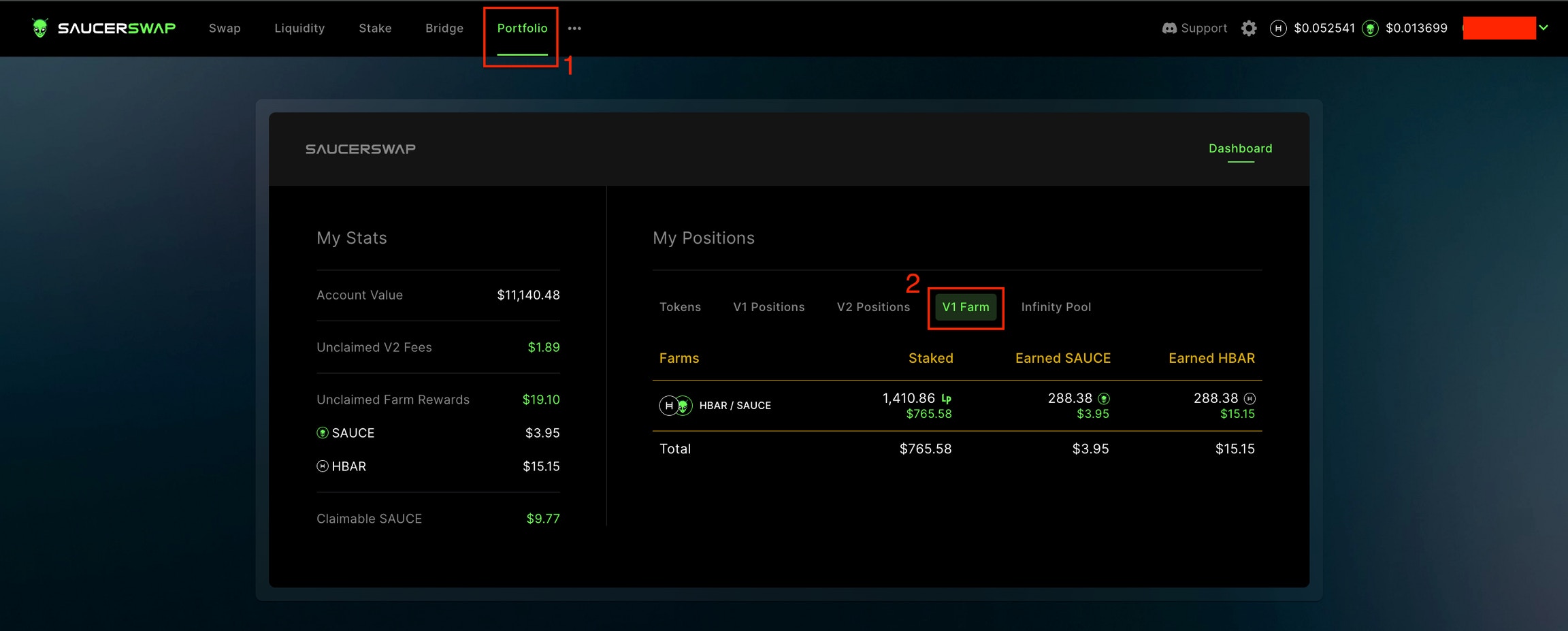
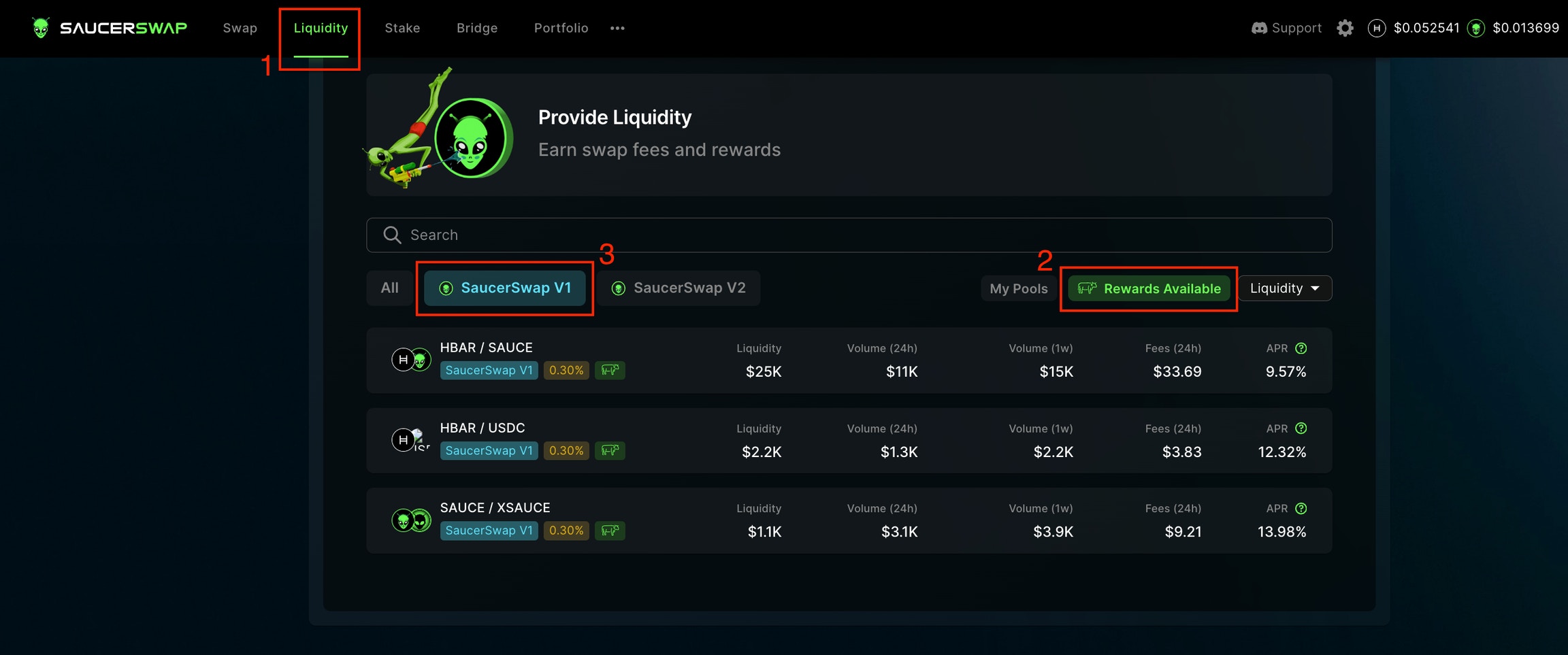 * Existing farm positions are accessible via either the "V1 Farm" tab of the "Portfolio" page or directly from the "Liquidity" page.
 ### Stake Liquidity
1\. **Navigate Interface**
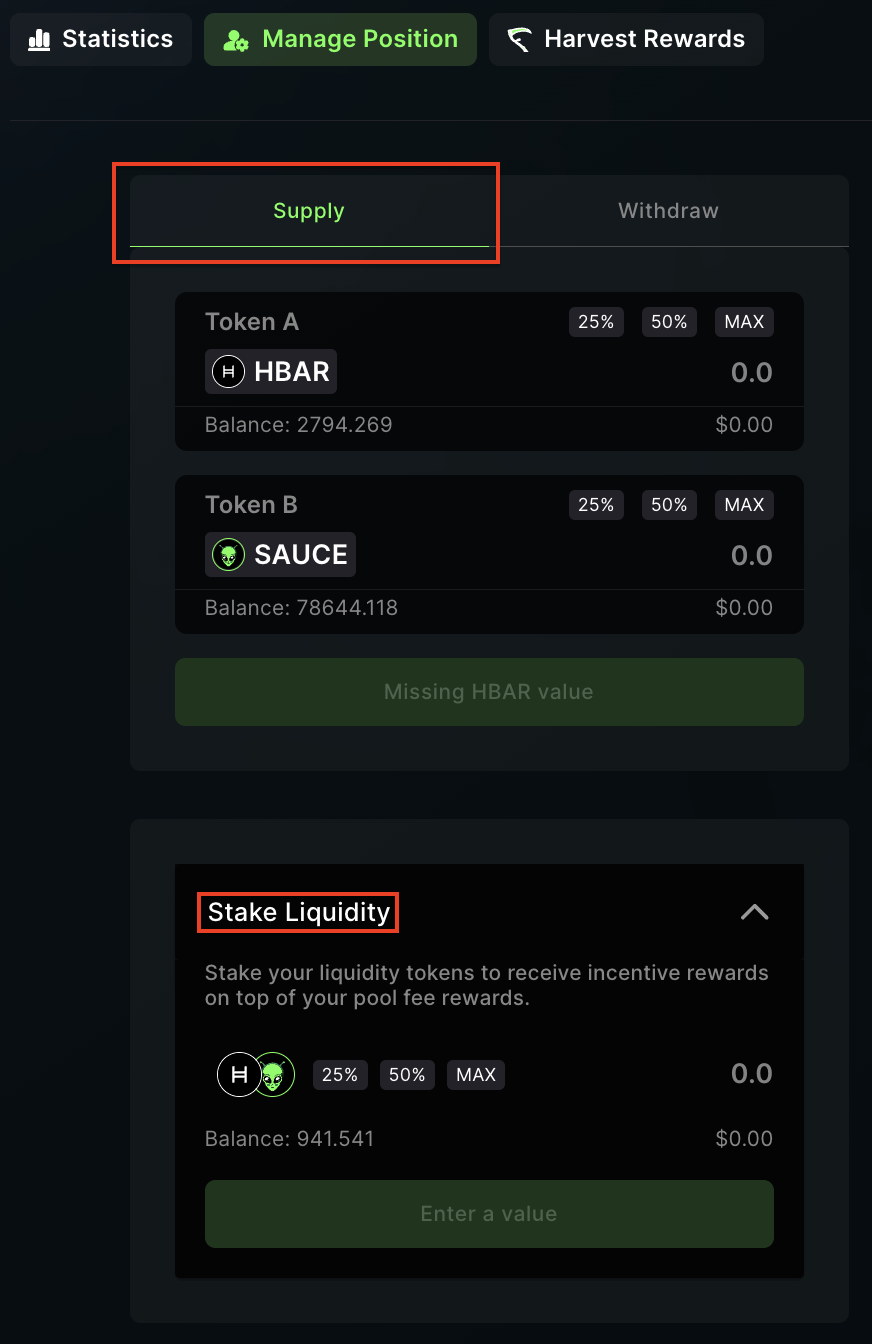
* Inside the "Manage Position" tab, select "Supply" and locate the "Stake Liquidity" section.
### Stake Liquidity
1\. **Navigate Interface**
* Inside the "Manage Position" tab, select "Supply" and locate the "Stake Liquidity" section.
 2\. **Stake Liquidity**
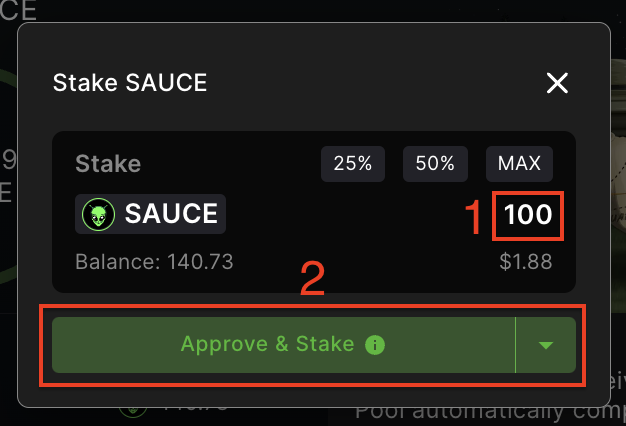
* Enter the number of LP tokens you want to stake for yield farming.
**Note:** If you do not have LP tokens, you must first supply liquidity.
* Click "Approve & Stake" and complete the transaction in your wallet.
2\. **Stake Liquidity**
* Enter the number of LP tokens you want to stake for yield farming.
**Note:** If you do not have LP tokens, you must first supply liquidity.
* Click "Approve & Stake" and complete the transaction in your wallet.
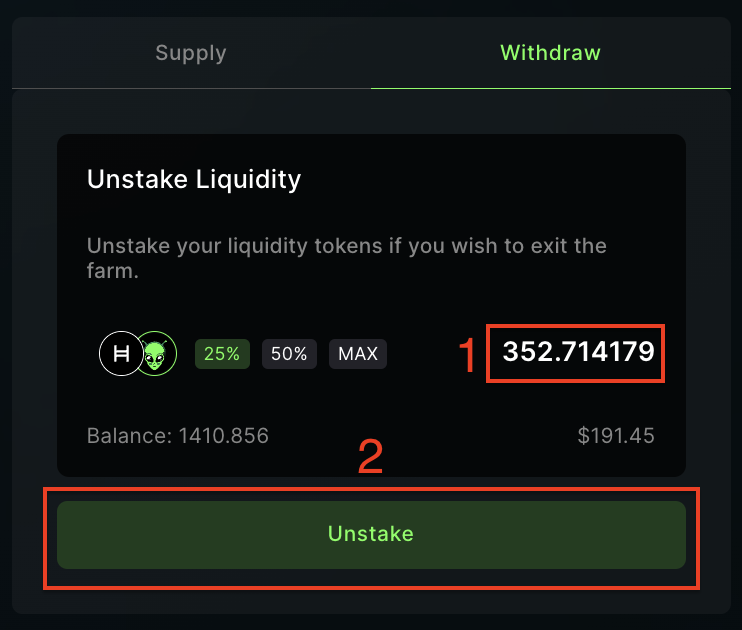
 ### Unstake Liquidity
1\. **Navigate Interface**
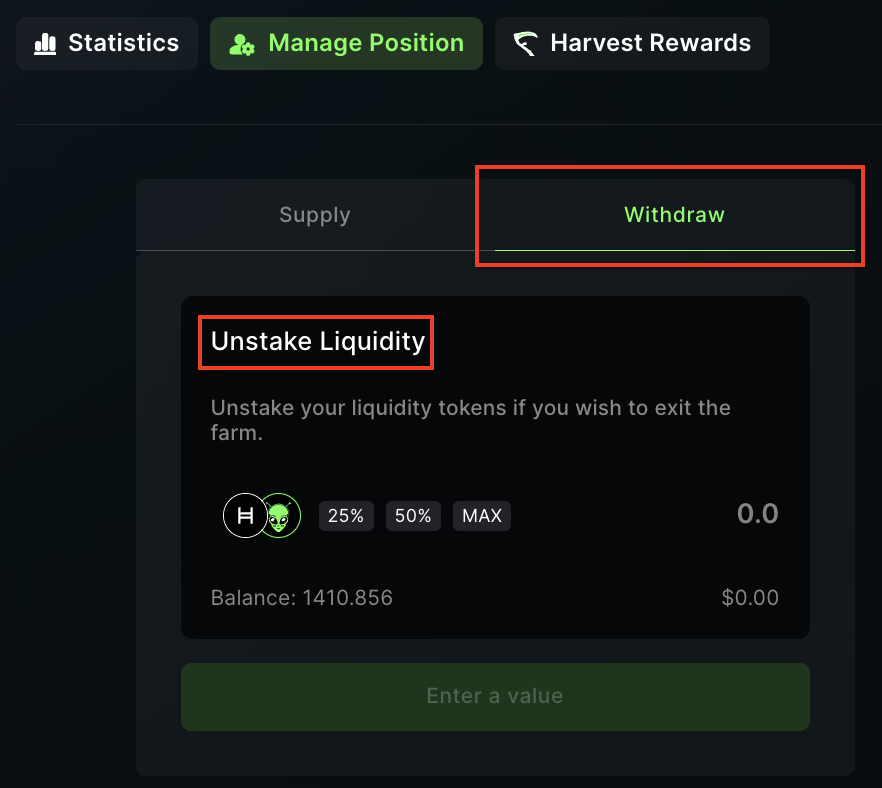
* Inside the "Manage Position" tab, select "Withdraw" and locate the "Unstake Liquidity" section.
### Unstake Liquidity
1\. **Navigate Interface**
* Inside the "Manage Position" tab, select "Withdraw" and locate the "Unstake Liquidity" section.
 2\. **Unstake Liquidity**
* Indicate the percentage of LP tokens you wish to unstake.
* Click "Unstake" and approve the transaction in your wallet.
2\. **Unstake Liquidity**
* Indicate the percentage of LP tokens you wish to unstake.
* Click "Unstake" and approve the transaction in your wallet.
 ### Harvest Rewards
1\. **Navigate Interface**
* To harvest your farm rewards, go to the "Harvest Rewards" tab within the pool subpage.
### Harvest Rewards
1\. **Navigate Interface**
* To harvest your farm rewards, go to the "Harvest Rewards" tab within the pool subpage.
 2\. **Harvest Rewards**
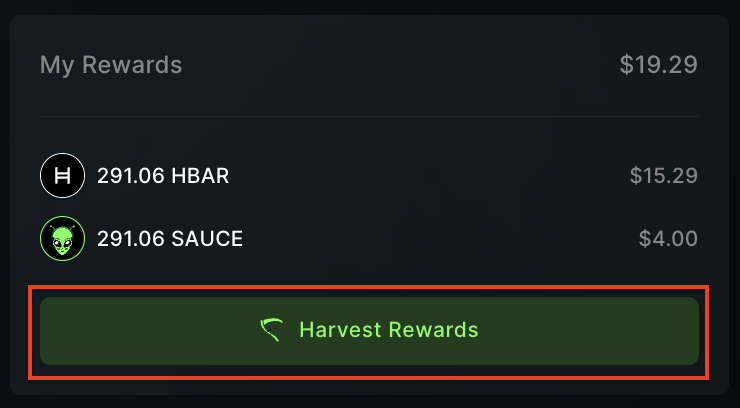
* You will see your pending rewards in SAUCE and HBAR.
* Click the "Harvest Rewards" button.
* Complete the transaction in your wallet.
2\. **Harvest Rewards**
* You will see your pending rewards in SAUCE and HBAR.
* Click the "Harvest Rewards" button.
* Complete the transaction in your wallet.